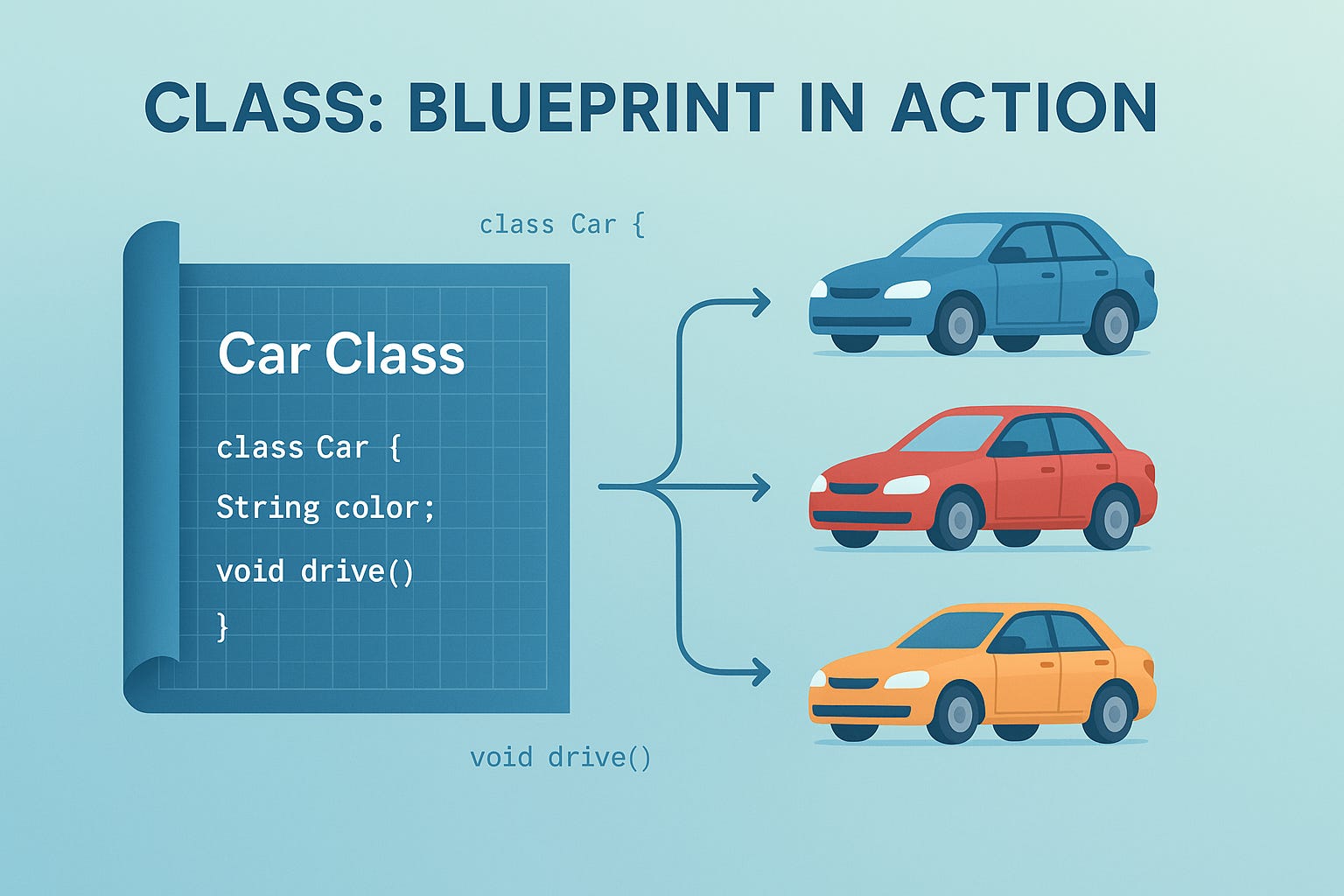
Class: Blueprint in Action
Java for Newbies #3 Understanding classes, structure, naming rules, and how they act as blueprints for objects.

1. Introduction
According to the official Java documentation:- Oracle Java Documentation
“A class is a template or blueprint from which individual objects are created. It can contain fields (variables) and methods to define the properties and behaviors of an object.”
Don’t worry if this sounds abstract right now — we’ll make it concrete with code and diagrams next.
What Exactly Is a Class?
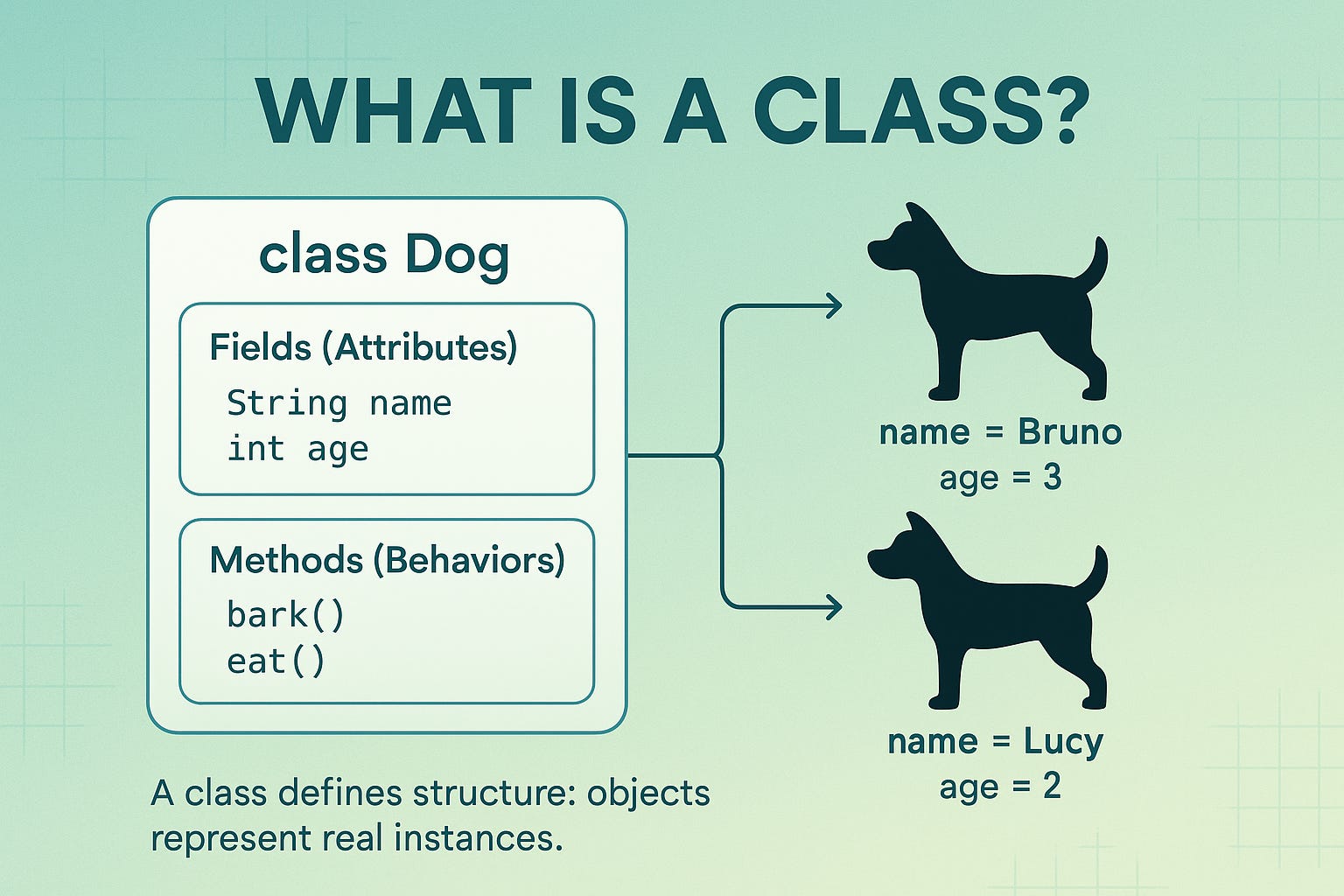
A class in Java is a user-defined data type that acts as a blueprint for creating objects.
It defines:
What data an object will store (its fields or attributes), and
What actions it can perform (its methods or behaviors).
In simpler words:
A class is like a template that describes something,
while an object is an actual example of that description in memory.
Example:
class Dog {
    String name;      // data
    void bark() {     // behavior
        System.out.println(name + “ is barking!”);
    }
}
Here:
Dogis the class — it defines what a dog is and can do.nameandbark()describe its state and behavior.When you later create an object like
Dog myDog = new Dog();, that object becomes a real dog in your program.
So remember:
A class defines structure and an object represents existence.
Why “Class” Matters
You’ve written your first Java program — Hello, World!.
You’ve seen how Java runs through the compiler, the class file, and the JVM.
Now it’s time to ask:
👉 Where does all our code actually live?
In Java, everything (except primitive statements) lives inside a class.
A class is the foundation of every Java program.
It defines what data your objects hold and what actions they can perform.
If you think about it in real-world terms —
A class is like a blueprint, and an object is like a house built from that blueprint.
You can have one blueprint (class), but many houses (objects).
Each object has the same structure but can hold different details — just like multiple houses built from the same plan but painted in different colors.
2. Defining a Class — Structure & Syntax
Here’s the simplest Java class structure:
class Car {
    // fields (attributes)
    String color;
    int speed;

    // method (behavior)
    void drive() {
        System.out.println(”Car is driving at “ + speed + “ km/h”);
    }
}
Let’s break it down step by step.
1. class
Explanation: Keyword used to define a new class.
2. Car
Explanation: The name of the class.
By convention, it starts with a capital letter (PascalCase).
3. { ... }
Explanation: Curly braces define the body of the class — everything inside belongs to that class.
4. String color; int speed;
Explanation: These are instance variables (also known as non-static fields).
They represent the state of each object created from this class.
5. void drive()
Explanation: This is a method.
It defines the behavior or action that objects of the class can perform.
💡 Think of it like this:
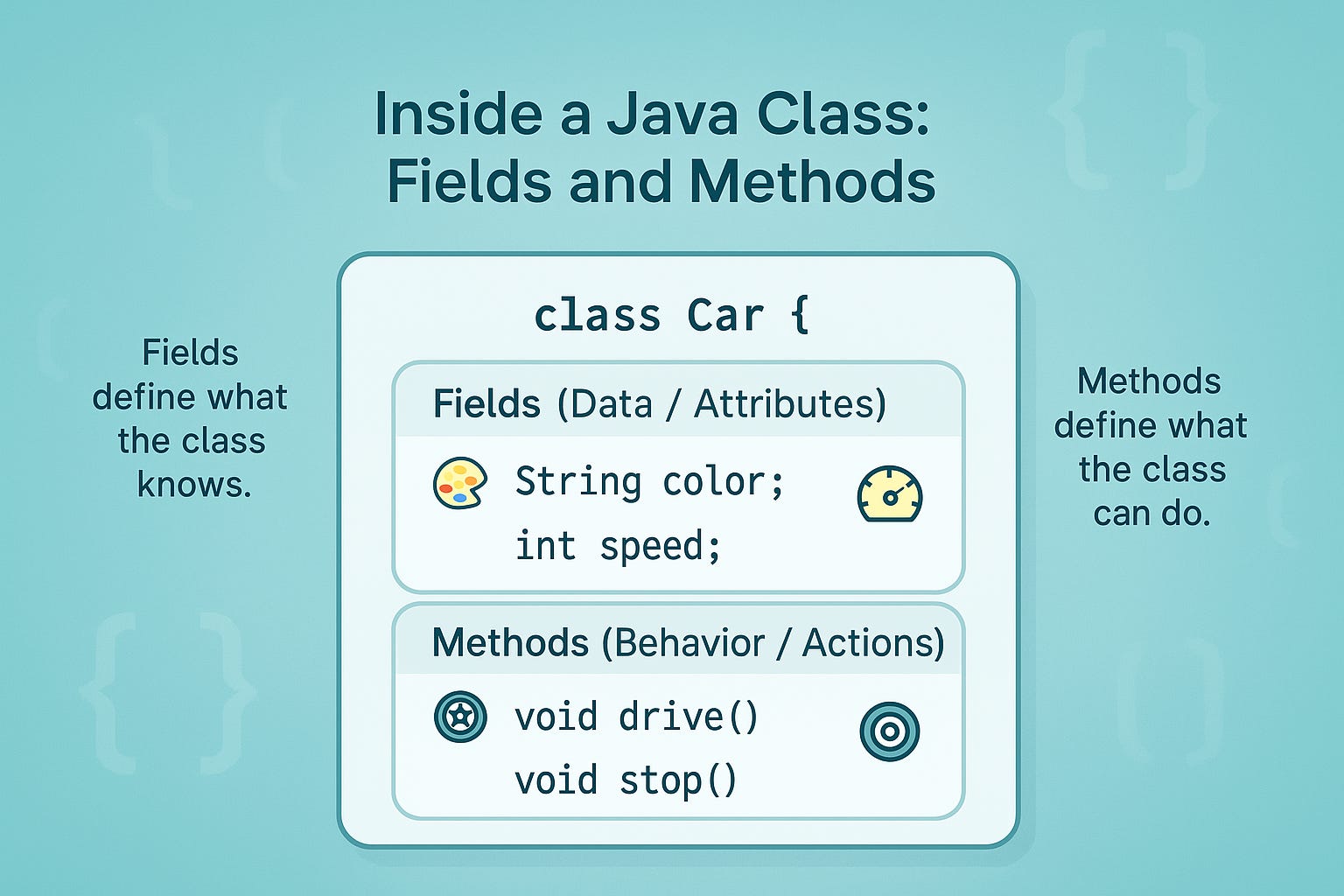
Variables = what the object has (state)
Methods = what the object does (behavior)
2.1 Naming Conventions — Pay Special Attention ⚠️
This section often confuses beginners, so read it carefully — some parts are style conventions, while others are compiler-enforced language rules.
Conventions (Not Enforced by the Compiler)
Class names should begin with an uppercase letter.
Example:Student,Employee,BankAccountUse PascalCase — each new word starts with a capital letter for readability.
Example:BankAccountManagerThese are purely stylistic conventions — Java will compile your code even if you break them, but following them keeps your code professional and consistent.
Language Rule (As per JLS § 7.6 — The Java Language Specification)
Public access: “A top-level type can be declared
public. If it is, it must be the only public type in its compilation unit, and the name of the compilation unit must match the simple name of the public type,
plus the.javaextension.”
In simpler terms:
If your class is declared as
public, the filename must exactly match the class name.
Example:
public class Car { }
➜ File must be named
Car.javaIf your class is not public, the filename can differ — but that’s considered bad practice and can cause confusion later.
Summary — What to Remember
1. Class Name Starts with Uppercase (PascalCase)
Type: Convention
Required?: ❌ No (but strongly recommended)
2. Filename Matches Public Class Name
Type: Java Language Specification (JLS 7.6) Rule
Required?: ✅ Yes (compiler-enforced)
Always use PascalCase for class names (e.g.,
Student,BankAccount,LinkedList).
Even though it’s not mandatory by the compiler, it’s a universal Java convention and improves readability and consistency.Pay special attention:
Many learners read that class-file naming is “just convention.” That’s partly wrong — capitalization is a convention, but the filename rule for a
publicclass is a compiler-enforced requirement per the Java Language Specification.
3. Types of Members — Data and Behavior
Inside a class, you usually define two kinds of things:
Fields (Data) — Variables that hold information about each object.
 String name;
 int age;
Each object gets its own copy of these.
Methods (Behavior) — Actions the object can perform.
 void introduce() {
     System.out.println(”Hi, my name is “ + name);
 }
Methods let objects do things using their data.
Static Members (Shared Data) — Belong to the class itself, not to objects.
static int totalCars;
You’ll explore these in detail in Blog (Static: When Code Belongs to the Class).
static members are associated with the class rather than any specific instance, and are loaded when the class is first referenced (per JLS §12.4.1).
4. Class and Object Relationship — Blueprint to Reality
A class by itself doesn’t do anything — it’s just a design plan.
To make it real, you need to create objects based on that class.
In this section, we’ll see how objects come from classes — just enough to understand the connection.
Don’t worry about what happens inside memory when an object is created; that’s something we’ll explore step by step in the next blog,
“Java for Newbies #4 — Object: Instance, Memory & References.”
Example:
class Car {
    String color;
    int speed;

    void drive() {
        System.out.println(color + “ car is driving at “ + speed + “ km/h”);
    }
}

class Main {
    public static void main(String[] args) {
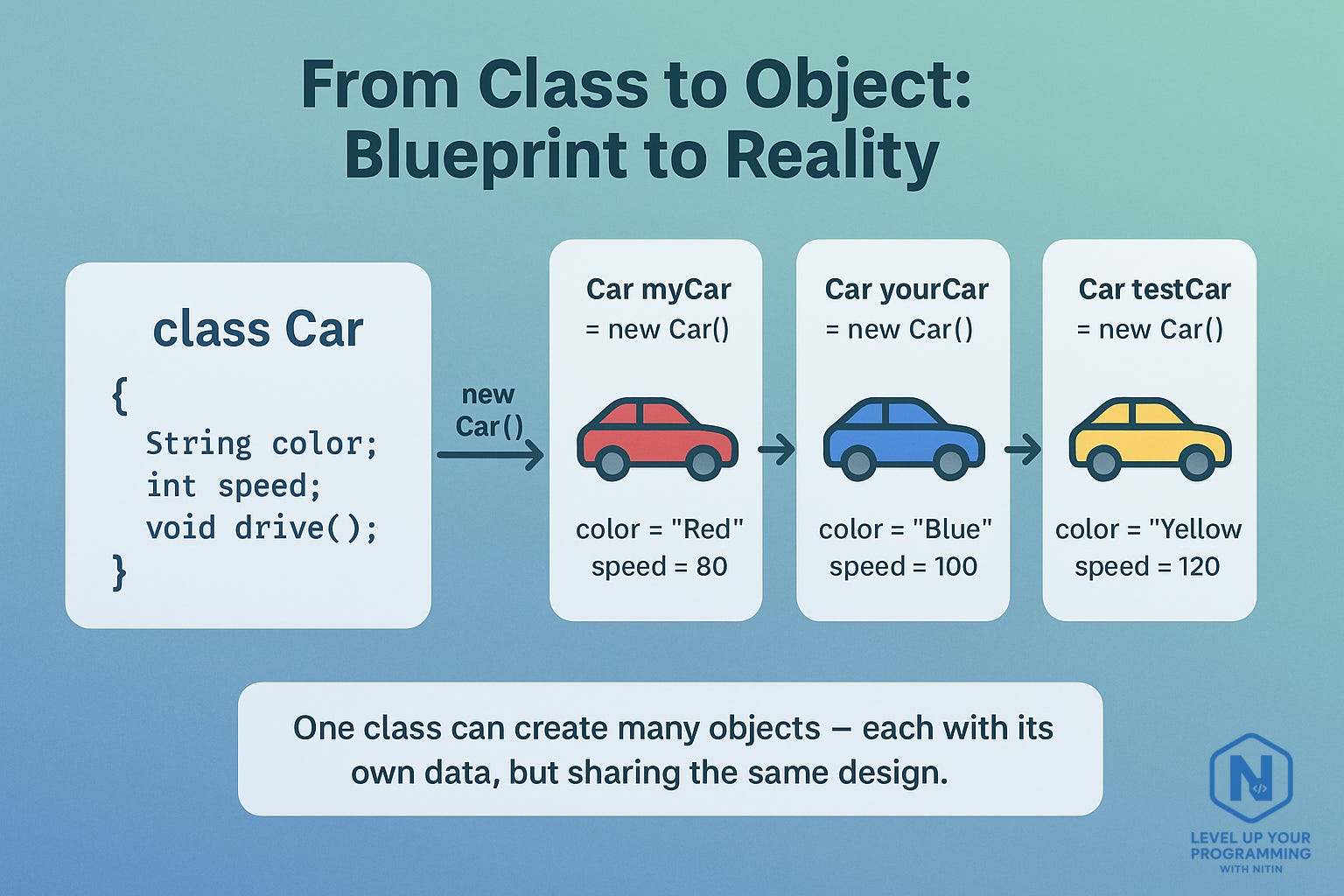
        Car myCar = new Car();   // object created
        myCar.color = “Red”;     // assign values
        myCar.speed = 80;
        myCar.drive();           // call method
    }
}
Output:
Red car is driving at 80 km/h
Here’s what happened:
You defined a class (
Car) as a plan.You created an object (
myCar) usingnew Car().That object got its own
colorandspeed.When you called
myCar.drive(), it used those values.
Each time you write new Car(), a new object (new car) is created in memory — each with its own color and speed.
Technically,
new Car()creates a new instance of typeCarin heap memory and returns a reference of typeCar. That reference is stored inmyCar
This overview should give you a clear sense of how a class turns into a living object at runtime.
We’re not diving into the full internal mechanics here — this post focuses on understanding the class itself.
Note: - The “object” part — including how it’s created, stored, and referenced in memory — will be explored in detail in the next blog.
5. Memory View — How Classes and Objects Exist in Memory (Pay special attention)
This is an area that confuses many beginners — and even appears differently phrased across blogs and books — so please read this part carefully.
A class itself is not an object instance, but its definition (metadata) is loaded and kept by the JVM when the class is used.
Therefore, the common blanket statement you may have seen — “classes don’t exist in memory” — is misleading and incorrect. That statement is trying to say “a class is not an object instance,” but saying it absolutely “doesn’t exist in memory” risks the wrong impression. Understand it this way instead:
When your program first uses a class (for example,
Car), the JVM loads the class’s blueprint — field names, method definitions, runtime constant pool, and other metadata — into a special memory area called the Method Area (or Metaspace in modern JVMs).
This stored information is not an object instance; it’s the class’s description that the JVM needs to create and manage instances.When you execute
new Car(), the JVM allocates a new object instance in the Heap. Each instance has its own copies of instance variables (likecolorandspeed) and its own identity.The reference variable (for example,
Car myCar) typically lives on the Stack and holds a pointer/reference to the heap object.
So, to summarize:
1. Class Definition (Metadata)
Lives In: Method Area / Metaspace
Meaning: One shared description per loaded class. It tells the JVM what the class contains — methods, variables, and structure.
2. Object (Instance)
Lives In: Heap
Meaning: Tangible runtime instances created using
new. Each object occupies its own memory block and holds unique data (state).
3. Reference Variable
Lives In: Stack
Meaning: Points to the actual object stored in the heap. References help the program access and manipulate heap objects.
💡 Remember:
The class definition is shared.
Objects are many (each created with
new).References are your handles to access those objects.
Analogy: the blueprint (class) is kept in the architect’s office (Method Area); each house (object) built from it exists on the ground (Heap); your key (reference) points to a particular house (Stack).
Important note (read this twice):
If you encounter materials that say “classes don’t exist in memory” as an absolute statement, treat that as imprecise — the correct understanding is that class definitions are loaded into JVM memory (Method Area), whereas instances live in the Heap. The distinction matters for reasoning about class loading, static members, and memory behavior.
Crack the Interview
Common Questions
What is a class in Java?
→ A blueprint that defines the data and behavior of objects.What’s the difference between a class and an object?
→ A class is the design; an object is an instance of that design.Can we have multiple classes in a single Java file?
→ Yes, but only one can bepublic, and the filename must match that class.Where is a class stored after compilation?
→ As a.classbytecode file, which the JVM loads at runtime.Can a class exist without an object?
→ Yes. You can define a class even if you don’t create any objects from it (for example, classes with only static methods).
Real-World Analogy
Think of a class as a car model designed by an automobile company. From one design (class), the factory produces many cars (objects). Each car may have a different color or number plate, but they all share the same engine design and structure.
“In fact, utility classes (like Math or Collections) are designed to be used without creating objects.”
FAQ
Q1. Why must everything be inside a class in Java?
Because Java is a class-based language — every variable, method, and logic (except primitives) is defined within a class..
Important Clarification:
You’ll often read in books or blogs that “Java is a pure object-oriented language.”
That’s not technically true.
Java is class-based and object-oriented, but not purely so — because it supports primitive types (int, double, boolean, etc.) that aren’t objects, and it allows static methods and variables that exist independently of any object.
Pure OOP languages like Smalltalk or Ruby treat everything as an object.
Java deliberately balances OOP principles with performance and practicality — that’s why it’s often described as “mostly object-oriented” or “object-oriented, but not pure.”
Starting with Java 25, you can write very simple programs without explicitly declaring a class or using the standard
public static void main(String[] args)signature — thanks to the “compact source files” and “instance main methods” enhancements (JEP 512).
But for nearly all standard Java applications, classes with amain()method remain the norm and the safe assumption.
So in this series, we’ll stick to the classic model (class +main) to build a strong foundation — and we’ll highlight new variations when we cover enhancements later.
Q2. Can I create multiple objects from the same class?
Yes, and each object maintains its own copy of the class’s instance variables.
Q3. What if I forget to name the file after the class?
If the class is public, the compiler will throw an error. If it’s not public, it’ll still compile but is bad practice.
You’re one step closer to thinking like a true Java developer. 🌱
Let’s Stay Connected
If you found this helpful, stay connected — Through Level Up Your Programming with Nitin, I share guides, insights, and live coding sessions to help you grow as a developer.
Let’s keep learning together!
Feel free to like, comment, or share your thoughts below — I’d love to hear how your Java journey is going.
Nitin
Hashnode | Substack | LinkedIn | Youtube | Instagram | GIT | Topmate